

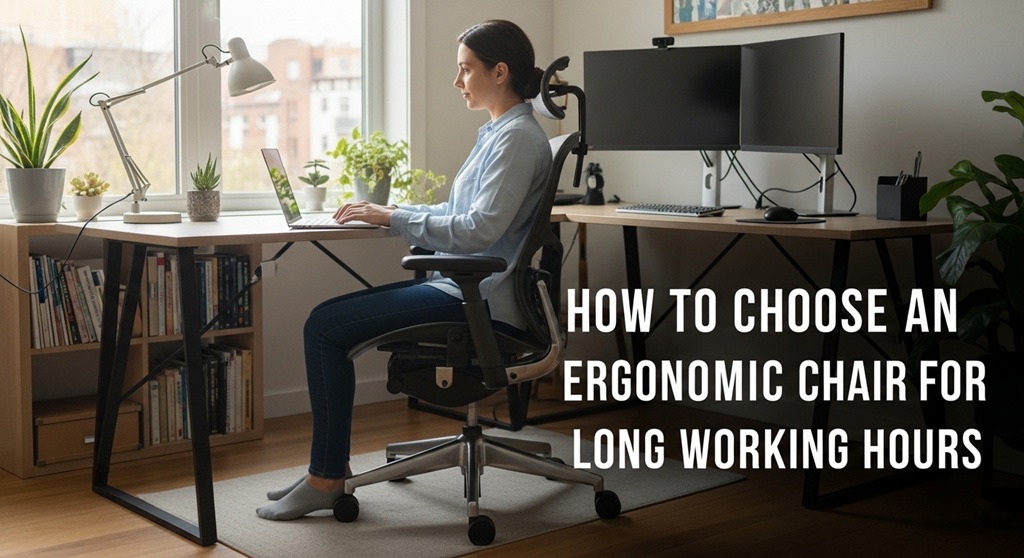
04 Mar How to Choose an Ergonomic Chair for Long Working Hours
If you spend eight or more hours at your desk, the chair you use can influence your comfort, posture, and productivity. Many professionals experience back pain, neck stiffness, and fatigue because their seating does not support long working sessions. According to the American Posture Institute, prolonged sitting with poor posture increases pressure on the spine by up to 40% compared to standing.
This is why choosing the right office chair for 8+ hours is not just about comfort. It is about protecting your health and improving daily work performance.
An ergonomic chair is designed to support natural posture, reduce strain, and allow movement during long periods of sitting. But the market is crowded with options. Some chairs claim to be ergonomic but lack essential features such as lumbar support or adjustable seat depth.
So how do you choose a truly comfortable desk chair for long working hours?
This guide breaks down the key features, evidence-based benefits, and practical buying considerations so you can make an informed decision. Whether you work remotely, run a business, or spend long hours at a workstation, the right ergonomic chair can significantly improve how you feel at the end of the day.
What Is an Ergonomic Chair and Why Is It Important for Long Working Hours?
Short Answer: An ergonomic chair is designed to support the natural curve of the spine, encourage proper posture, and reduce strain during long periods of sitting.
Ergonomic seating became widely studied in workplace research during the 1990s. The goal was simple: reduce musculoskeletal disorders among office workers.
According to the Occupational Safety and Health Administration (OSHA), proper ergonomic seating can reduce workplace injuries related to repetitive strain and poor posture.
Key benefits include:
- Improved spinal alignment
- Reduced pressure on the lower back
- Better circulation in legs and hips
- Lower risk of fatigue during long work sessions
For people working extended hours, a standard chair often lacks the flexibility needed to support posture changes throughout the day. A properly designed office chair for 8+ hours allows micro-adjustments, encourages movement, and distributes body weight evenly.
What Features Should You Look for in an Office Chair for 8+ Hours?
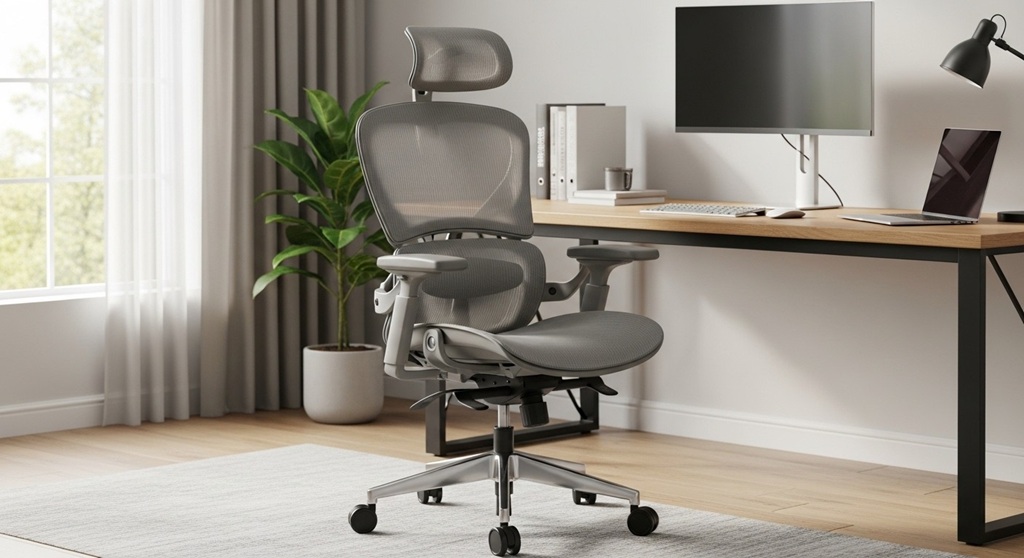
Short Answer: The most important ergonomic features include adjustable lumbar support, seat height adjustment, armrests, breathable materials, and seat depth control.
These features determine whether a chair will truly support long work sessions.
1. Adjustable Lumbar Support
The lumbar spine naturally curves inward. Without support, the spine collapses into a slouched position.
Adjustable lumbar support allows you to align the chair with your lower back. Research from the National Library of Medicine indicates that lumbar-supported seating significantly reduces lower back discomfort during prolonged sitting.
2. Seat Height Adjustment
Your feet should rest flat on the floor with knees at a 90-degree angle.
Standard ergonomic chairs allow height adjustment between 16 and 21 inches from the floor.
3. Adjustable Armrests
Armrests should support your forearms without raising your shoulders. Adjustable armrests help prevent tension in the neck and upper back.
4. Breathable Materials
Mesh-backed chairs improve airflow and prevent overheating during long work hours.
5. Seat Depth Adjustment
Seat depth controls the distance between the edge of the seat and the backrest. Ideally, there should be a 2–3 inch gap between the seat edge and the back of your knees.
How Does an Ergonomic Chair Improve Posture and Reduce Back Pain?
Short Answer: Ergonomic chairs support the spine’s natural alignment, distribute weight evenly, and reduce pressure points that cause discomfort.
Back pain is one of the most common issues among office workers. According to a study published in BMC Musculoskeletal Disorders, nearly 38% of office employees report chronic back pain linked to poor seating and posture.
An ergonomic chair helps in three main ways:
- Maintains the natural S-curve of the spine
- Encourages upright sitting posture
- Reduces pressure on the lower back
This is particularly important for individuals working on computers all day. Without proper support, spinal discs compress over time.
A high-quality comfortable desk chair allows the body to remain relaxed while maintaining healthy posture.
What Are the Best Materials for a Comfortable Desk Chair?
Short Answer: Mesh, high-density foam, and durable fabric are the most common materials used in ergonomic chairs.
Each material affects comfort, airflow, and durability.
| Material | Advantages | Best For |
|---|---|---|
| Mesh | Breathable, lightweight, modern design | Warm climates and long sitting hours |
| High-density foam | Strong cushioning, long-lasting support | Comfort-focused seating |
| Fabric upholstery | Soft texture and durability | Traditional office environments |
| Leather | Premium appearance and durability | Executive offices |
Mesh chairs are especially popular for remote workers because they reduce heat buildup during extended work sessions.
How Do You Adjust an Ergonomic Chair Correctly?
Short Answer: Proper adjustment involves aligning seat height, lumbar support, armrests, and monitor position with your body.
Follow these steps:
- Adjust seat height so your feet rest flat on the floor.
- Position lumbar support to fit the natural curve of your lower back.
- Adjust armrests so shoulders stay relaxed.
- Ensure your monitor is at eye level.
- Maintain a 90–100 degree recline angle.
Even the best ergonomic chair will not deliver benefits if it is not adjusted correctly.
How Much Should You Spend on a Good Ergonomic Office Chair?
Short Answer: A quality ergonomic office chair typically ranges between $200 and $700 depending on features and durability.
Budget options under $100 often lack key ergonomic features such as lumbar adjustment or seat depth control.
However, you do not always need to purchase premium models to get good support.
There are many affordable options available. If you are looking for a reliable office chair for 8+ hours, reviewing curated lists of tested ergonomic chairs can help you identify options that balance comfort, adjustability, and cost.
What Real Workplace Studies Say About Ergonomic Chairs
Short Answer: Studies consistently show ergonomic seating reduces musculoskeletal discomfort and improves productivity.
A case study conducted by the Cornell University Ergonomics Web examined workplace seating improvements across several office environments.
Results showed:
- 17% reduction in reported back pain
- Lower fatigue during long computer sessions
- Increased employee productivity
Another workplace study published in Applied Ergonomics Journal found that adjustable seating significantly reduced neck strain among employees working more than 6 hours per day.
This evidence supports the growing adoption of ergonomic office furniture across modern workplaces.
What Mistakes Should You Avoid When Buying a Desk Chair?
Short Answer: The biggest mistakes include choosing style over support, ignoring adjustability, and buying chairs without testing lumbar comfort.
Common mistakes include:
- Choosing a chair based only on appearance
- Ignoring seat depth and width
- Buying fixed armrests
- Not considering body height and weight
- Ignoring warranty and durability
A chair that looks good may not provide long-term support.
Focus on ergonomics, adjustability, and long-term comfort rather than visual design.
Conclusion: How Do You Choose the Right Ergonomic Chair for Long Workdays?
Choosing the right ergonomic chair is one of the most important investments for anyone who spends long hours at a desk.
Poor seating can lead to back pain, fatigue, and reduced productivity. On the other hand, a properly designed comfortable desk chair supports your posture, encourages movement, and helps you stay focused during long work sessions.
The key is to prioritize features such as adjustable lumbar support, seat height control, breathable materials, and armrest flexibility. These features work together to reduce pressure on the spine and support natural posture.
Remember that ergonomics is not just about the chair. Proper desk height, monitor positioning, and regular breaks also contribute to a healthier work environment.
If you work more than eight hours a day at a desk, investing in a high-quality office chair for 8+ hours can make a significant difference in your comfort and productivity.
Take time to compare features, read real user reviews, and test different models before making a decision. Your back will thank you for it.
Frequently Asked Questions
What is the best office chair for long working hours?
The best office chair for long working hours includes adjustable lumbar support, seat height control, breathable materials, and armrests. These features help maintain healthy posture and reduce strain during extended sitting sessions.
How long should an ergonomic chair last?
A good ergonomic chair typically lasts between 5 and 10 years depending on build quality, usage frequency, and maintenance.
Is a mesh chair better than a cushioned chair?
Mesh chairs provide better airflow and temperature control, while cushioned chairs offer thicker support. The best option depends on personal comfort and working environment.
Can an ergonomic chair help with back pain?
Yes. Ergonomic chairs support the natural curve of the spine and reduce pressure on the lower back. This can significantly decrease discomfort during long work sessions.
How often should you take breaks when sitting?
Experts recommend standing or stretching every 30–60 minutes to improve circulation and reduce strain on muscles.
Are expensive ergonomic chairs worth it?
High-end ergonomic chairs often provide better adjustability, durability, and materials. However, many mid-range chairs also provide excellent support for daily office work.
Related Topic: How Print Media Remains Essential in the Digital Age
Read Next: Sustainable Landscape Design Trends for Modern Yards
Sorry, the comment form is closed at this time.